Completing your Playinmatch registration is the first step towards accessing your account, but what happens after you receive your login details? Many new users are unsure whether their Playinmatch ID is active, how to complete verification, or what to do when their account shows a pending status.
Activating your Playinmatch ID generally involves confirming your registration details, completing any required verification, setting up secure login credentials, and checking whether your account is ready to use.
Playinmatch explains how to activate your Playinmatch ID after registration, check your account status, resolve common activation problems, and contact Playinmatch customer support when additional assistance is required.
What Is Playinmatch ID Activation?
Playinmatch ID activation is the process of making a newly registered account available for authorised access. It helps confirm that your registration has been processed and that your login credentials are working correctly.
When you complete the Playinmatch register process, your account may require additional checks before certain features become available.
These checks may include:
- Confirming your registered mobile number or email address.
- Verifying your Playinmatch ID and account details.
- Completing an OTP verification step when requested.
- Creating or changing your account password.
- Completing identity verification if required.
- Confirming that your account status is active.
The exact activation requirements can vary depending on the registration method and applicable account-verification rules.
Important: Receiving your Playinmatch ID does not necessarily mean every account feature has been activated. Some services may remain restricted until the required checks are completed.
ReadMore<<<How to Play PlayinMatch Games Online for Free
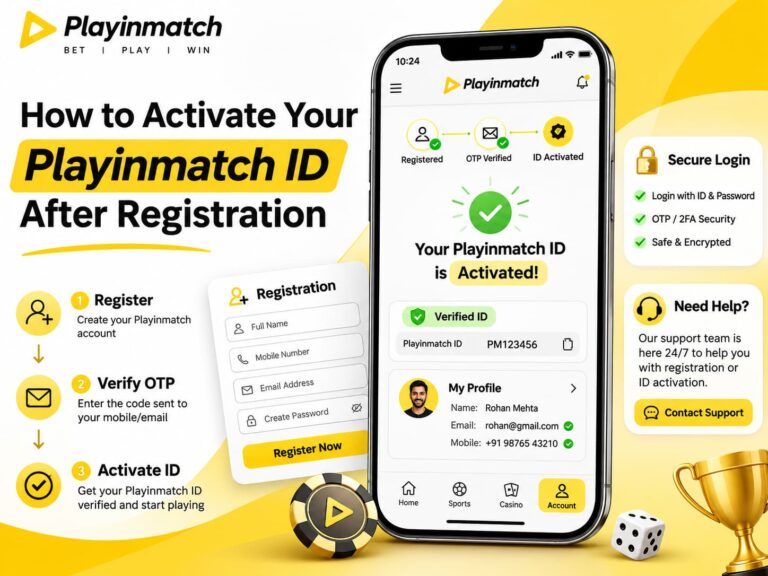
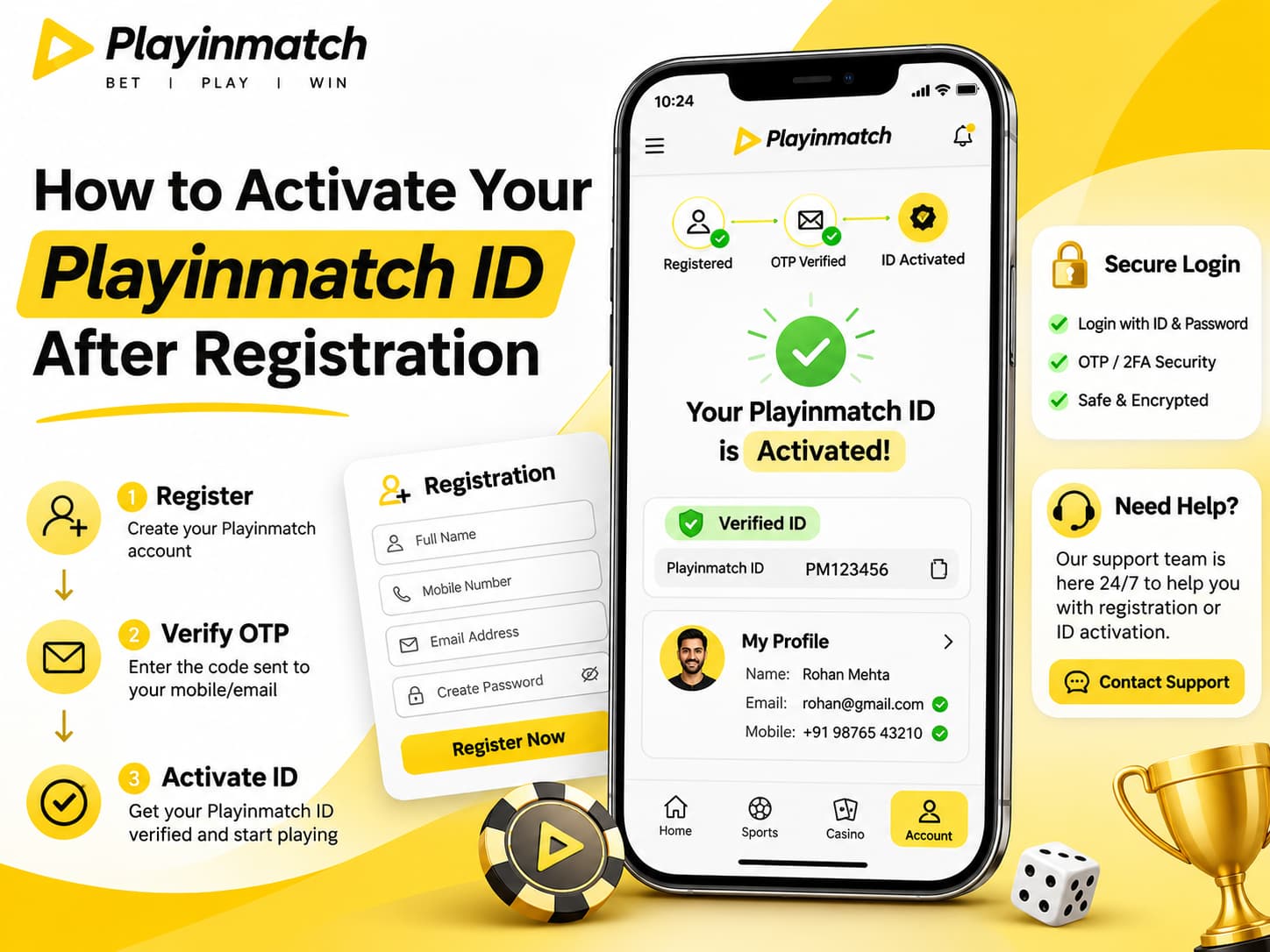
How to Activate Your Playinmatch ID After Registration
New users can follow these steps to check and complete their Playinmatch account activation.
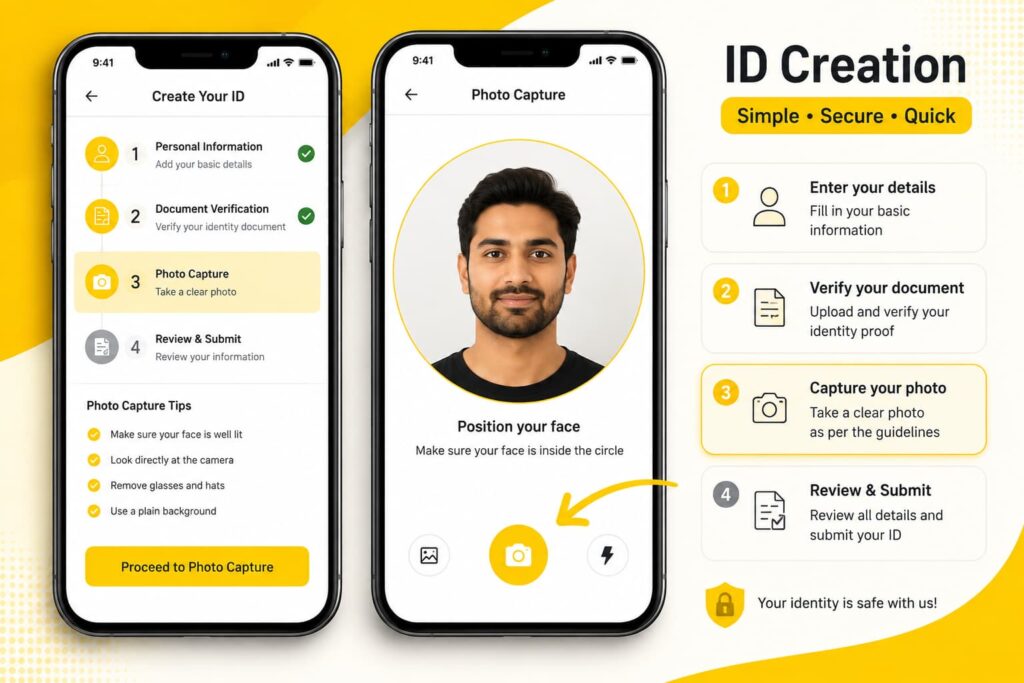
Step 1: Complete the Playinmatch Register Process
Begin by checking that your Playinmatch registration has been completed correctly.
During registration, you may be asked to provide basic information such as your name, mobile number, and other account details. Make sure the information is accurate. Incorrect registration details may create problems during verification, account recovery, or future transactions.
If your registration is still incomplete, follow the instructions provided through the platform’s authorised registration process.
Step 2: Check Your Playinmatch ID Details
After registration, check whether your Playinmatch ID or username has been issued.
Your Playinmatch ID identifies your account and may be required when you contact customer support or request assistance with login problems.
Before continuing, confirm that:
- Your username or account ID is correct.
- Your registered mobile number is accurate.
- Any registration confirmation has been received.
- You are using the correct account credentials.
If you have not received your ID, do not immediately create another account. Contact Playinmatch customer support to confirm whether your first registration was successful.
Step 3: Complete Mobile Number or OTP Verification
Some Playinmatch registrations may require mobile number or email verification.
If an OTP verification screen appears, follow the instructions provided.
- Check your registered mobile number or email.
- Find the latest verification code.
- Enter the code on the authorised verification screen.
- Submit it and check the confirmation message.
If you do not receive an OTP, confirm that your mobile number is correct and that your network connection is working. Avoid requesting multiple codes repeatedly, as older verification codes may expire.
Security reminder: Never share your OTP with another person, including anyone claiming to represent Playinmatch customer support.
Step 4: Set Up a Secure Playinmatch Login Password
Once your registration details are confirmed, make sure your account has a strong password.
If you received a temporary password during registration, change it through the authorised account settings or password-change process when available.
For better account protection:
- Use a unique password that is difficult to guess.
- Avoid using your mobile number or date of birth.
- Do not reuse passwords from other websites.
- Keep your Playinmatch login details private.
- Avoid saving passwords on shared devices.
A secure password helps protect your Playinmatch ID against unauthorised access.
Step 5: Complete Account Verification If Required
Some accounts may require additional identity checks before full access is available.
Depending on the platform’s requirements, verification may include confirming your name, age, registered contact details, or payment-account ownership.
Where Know Your Customer (KYC) verification is requested, follow the instructions shown through the authorised verification channel.
Users should provide accurate information and avoid uploading personal documents to unverified websites or third-party contacts.
Registration and KYC verification are separate processes. Your Playinmatch ID may be active for login even when additional verification is still required for specific features.
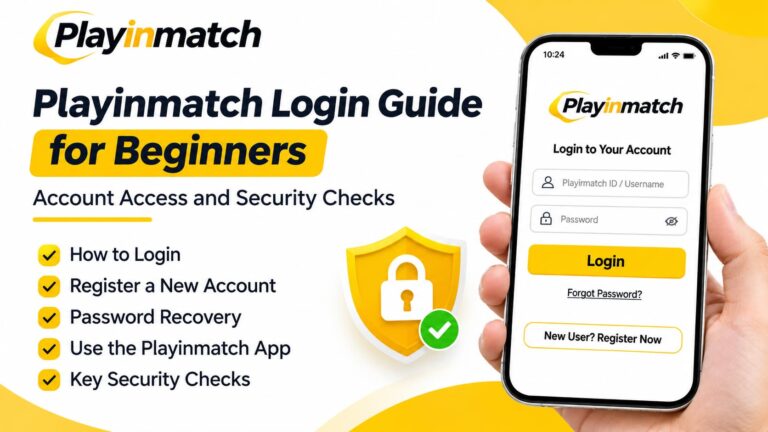
Step 6: Log In to Your Playinmatch Account
After completing the necessary steps, test your account using the Playinmatch login page.
Follow these steps:
- Visit the Playinmatch website at https://playinmatch.vip/.
- Open the Playinmatch login section.
- Enter your registered Playinmatch ID or username.
- Type your password.
- Complete any security verification requested.
- Sign in and check whether your account dashboard is accessible.
If you can access your account without an activation warning, your basic login access is working.
However, successful login does not automatically confirm that all account verification requirements have been completed.
How to Check Whether Your Playinmatch ID Is Activated
After registration, users sometimes want to know whether their account is fully active.
You can check your account by reviewing the following details.
| Account check | What to look for |
|---|---|
| Playinmatch login | Your registered credentials are accepted |
| Account dashboard | Your profile or account page loads |
| Registered details | Your mobile number and account information are correct |
| Verification status | No outstanding activation request is shown |
| Account restrictions | Any pending or restricted status is explained |
| Customer support | Support can confirm whether additional checks are required |
If you can log in but see a pending verification notification, follow the instructions provided rather than creating another Playinmatch ID.
Playinmatch ID Not Activated? Common Problems and Solutions
Playin match account activation does not always happen immediately. A missing confirmation, incorrect registration information, or pending verification may delay access.
Here are some common problems and what you can do.
| Problem | Possible reason | Recommended action |
|---|---|---|
| Playinmatch ID not received | Registration may be incomplete | Contact customer support |
| OTP not received | Network delay or incorrect number | Check details and request a new code |
| Invalid Playinmatch login | Incorrect ID or password | Recheck credentials |
| Account pending activation | Verification is incomplete | Follow the verification instructions |
| Mobile number already registered | An existing account may be linked | Request account recovery |
| Playinmatch ID temporarily locked | Security or account review | Contact authorised support |
| Account dashboard not opening | Browser, connection or technical issue | Refresh, retry or contact support |
If your Playinmatch ID remains inactive, avoid submitting multiple registration requests with the same details.
ReadMore<<<<Playinmatch Withdrawal Problem: How to Contact Support via WhatsApp & Telegram
How Long Does Playinmatch ID Activation Take?
The time required to activate a Playinmatch ID may depend on how the account was registered and whether verification is necessary.
Basic login access may become available soon after the registration process is completed. However, additional identity checks or account reviews may take longer.
Activation timing can depend on:
- Whether registration details are complete.
- Mobile number or email verification.
- Pending KYC requirements.
- Account information that needs correction.
- Technical problems affecting account access.
There is no single activation time that applies to every account.
If your account is still pending, Playinmatch customer support can help identify which step remains incomplete.
ReadMore<<<<Playinmatch Monopoly Game Rules: Everything Beginners Should Know in 2026
Can You Access Playinmatch Monopoly After ID Activation?
Playinmatch Monopoly is a related search term used by people looking for Monopoly-style casino games through Playinmatch.
After activating a Playinmatch ID, users may want to know which games and platform features are available through their accounts. However, account activation does not automatically guarantee access to Playinmatch Monopoly or any particular game.
Game availability can depend on account permissions, the platform’s current game catalogue, location restrictions, verification requirements, and applicable law. Before accessing any available Monopoly-style game, review its rules, eligibility requirements, and responsible gaming information.
If a game does not appear in your dashboard, contact Playinmatch customer support to ask whether that feature is currently available to your account.
How to Contact Playinmatch Customer Support for ID Activation
If you have completed your registration but cannot activate your Playinmatch ID, contacting the authorised support team is the next step.
Playinmatch customer support can help with registration status, login errors, password recovery, and pending verification requests.
Information to Keep Ready
Before contacting support, prepare:
- Your Playinmatch ID or username, if issued.
- Your registered mobile number.
- A brief description of the activation problem.
- The error message displayed on your screen.
- A screenshot of the problem, with sensitive information hidden.
When contacting Playinmatch customer support, explain whether your issue relates to registration, login, verification, or an account restriction.
Never share your account password, OTP, banking PIN, or other confidential security codes with support representatives.
Always obtain current support contact details from the website you registered through, rather than relying on unfamiliar social media accounts or forwarded numbers.
ReadMore<<<Playinmatch Registration Guide: Create Your Account in Minutes
Tips to Keep Your Playinmatch ID Secure After Activation
Once your Playinmatch ID is activated, prioritise keeping your account secure.
Use the Correct Playinmatch Login Page
Always confirm the website address before entering your username and password. Fake login pages may imitate familiar websites to collect account credentials.
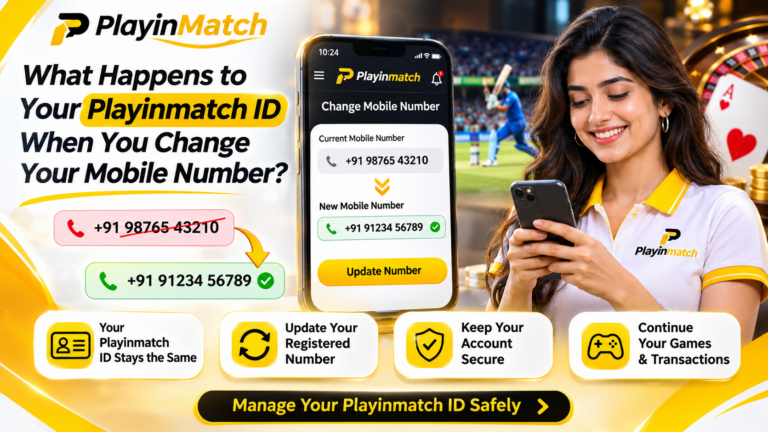
Keep Your Registered Mobile Number Updated
Your registered mobile number may be used for verification and account recovery.
If you change your mobile number, request an account update through the authorised process.
Avoid Sharing Your Playinmatch ID Password
Your login credentials are intended for your personal use. Sharing passwords can increase the risk of unauthorised activity.
Review Account Activity
If your dashboard provides account history or security information, review it periodically.
Report any unfamiliar activity to Playinmatch customer support as soon as possible.
Understand Account Rules
Read the platform’s terms and privacy information before using account features. Users in India should also check the laws and restrictions applicable to their location.
FAQs About Playinmatch ID Activation
1. How do I activate my Playinmatch ID after registration?
Confirm that your registration is complete, finish any requested mobile or identity verification, set a secure password, and attempt to log in. If your account remains pending, contact authorised support.
2. Can I log in immediately after Playinmatch registration?
Basic login access may be available after registration, but some accounts may need additional verification or approval.
3. Why is my Playinmatch ID not active?
Your registration may be incomplete, verification may be pending, or your account may require a security review.
4. Is OTP verification necessary for Playinmatch ID activation?
OTP verification may be required depending on the registration and account security process. Follow the instructions shown through the authorised platform.
5. What should I do if I forget my Playinmatch login password?
Use the available password-recovery process or contact Playinmatch customer support. Avoid creating a duplicate account simply because you forgot your password.
6. How can I check my Playinmatch ID status?
Attempt to log in, review any verification notifications, and ask customer support to confirm your status if the information is unclear.
7. Can I use my Playinmatch ID on an Android phone or iPhone?
Account access may be possible through supported mobile browsers or applications, subject to device compatibility and any account security checks.
8. What if my Playinmatch ID shows invalid credentials?
Recheck your username and password. If the problem continues, use the authorised recovery process rather than repeatedly trying different passwords.
9. Is Playinmatch Monopoly available after registration?
Availability must be confirmed through the platform’s current game catalogue. Activating an ID does not guarantee access to a particular casino game.
10. Can Playinmatch customer support activate my account?
Support may help identify incomplete registration or verification requirements and explain the appropriate activation procedure.
11. Can I register another Playinmatch ID if activation fails?
Creating another account may cause duplicate-account problems. It is generally better to recover or resolve the original registration first.
12. Is Playinmatch ID activation free?
Any applicable activation or account-related charges should be verified against the platform’s published terms. Do not send money to an unknown contact claiming that payment is required to unlock your ID.
Final Thoughts: Keep Your Playinmatch ID Ready and Secure
Activating your Playinmatch ID after registration is mainly about ensuring your account details are correct, completing any necessary verification, and confirming that your login credentials work.
Whether you are checking your Playinmatch register status, troubleshooting a Playinmatch login problem, or requesting help with account verification, always use the platform’s authorised processes.
If your ID remains inactive, contact Playinmatch customer support for guidance instead of submitting duplicate registrations or sharing your credentials with unfamiliar contacts.
Need help with your Playinmatch ID? Visit the Playinmatch website, review your account status, and use the published support options to resolve any pending activation issue.